
Papa Bear Public App – Delete My Account / Delete My Data
This page explains how users of the Papa Bear Public App can request the deletion of their account and personal data, as required by Google Play Store policy.
📌 How to Delete Your Account
Follow the steps below inside the Papa Bear Public App:
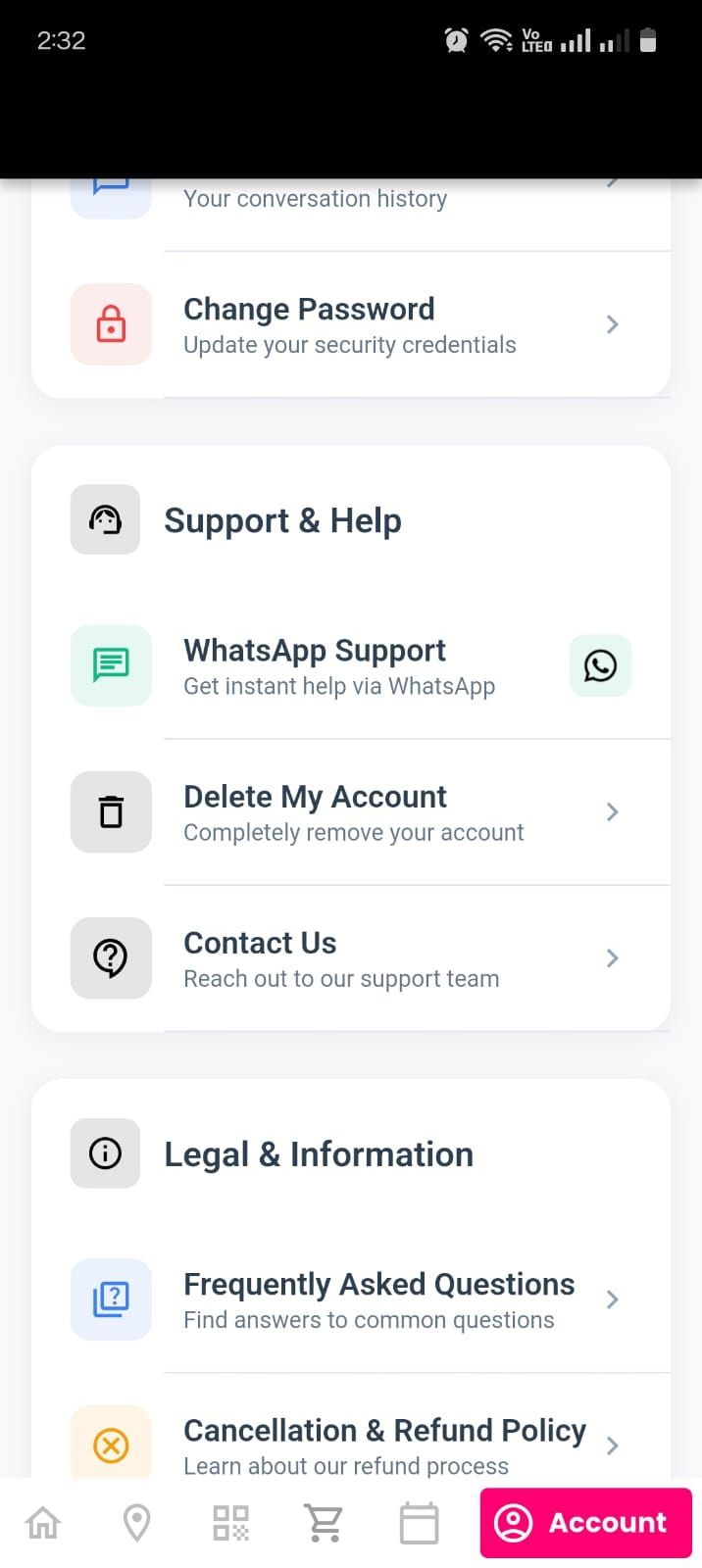
- Open the Papa Bear Public App and go to the Account section.
- Scroll to Support & Help and tap on Delete Account.
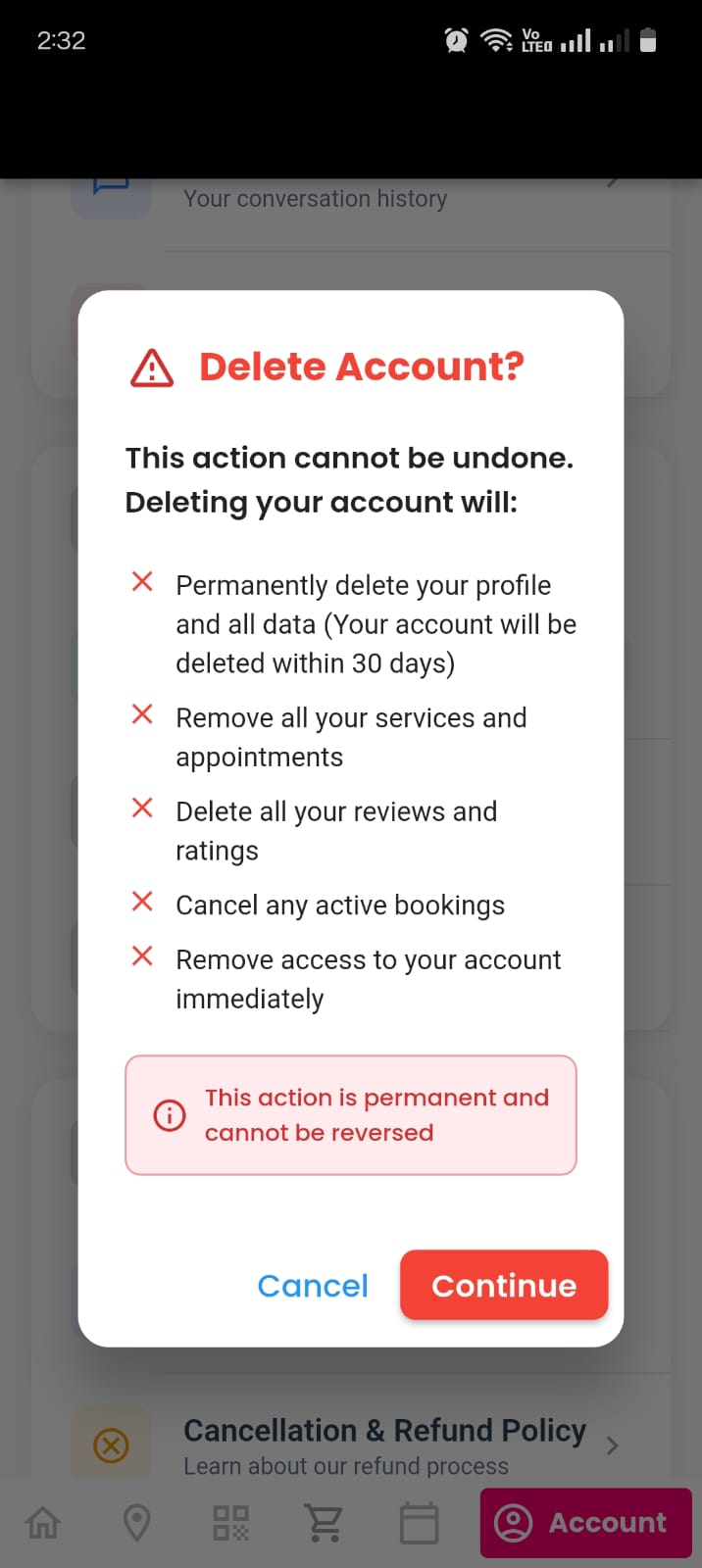
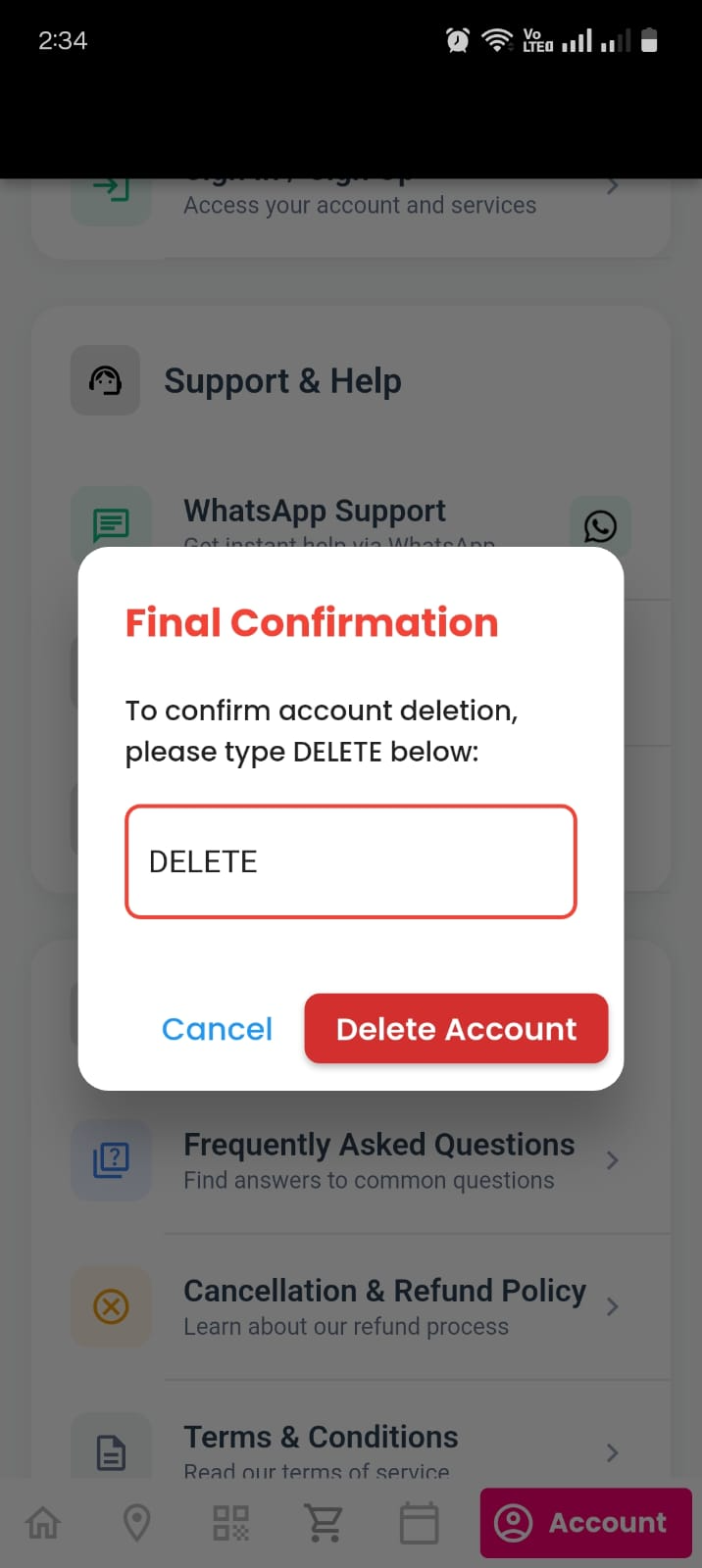
- You will see a confirmation popup asking you to type DELETE.
- After typing DELETE, tap Delete Account again.
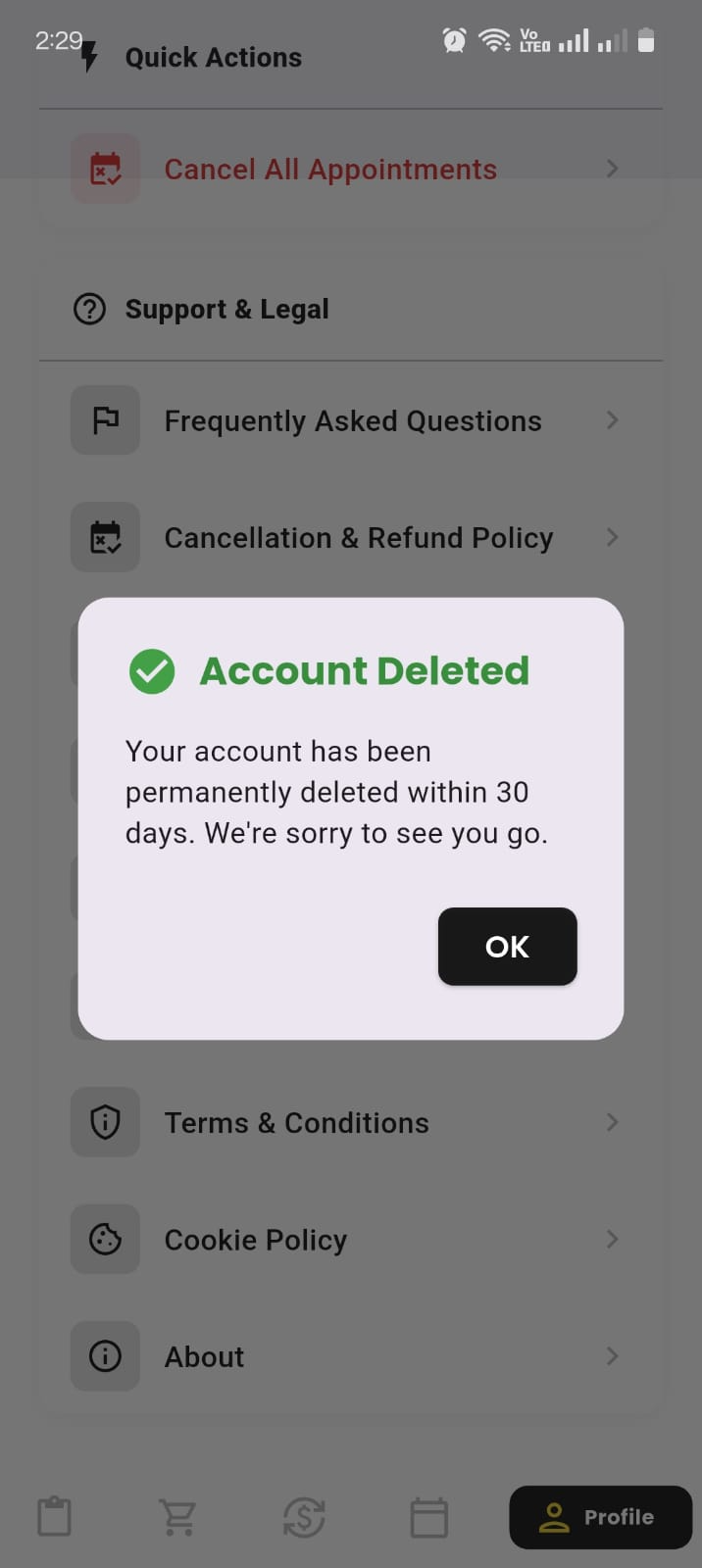
- A final confirmation screen will appear showing your deletion request is initiated.
Your account will be permanently deleted within 30 days.
📌 What Data Will Be Deleted?
- Remove all your services and appointments
- Delete all your reviews and ratings
- Cancel any active bookings
- Remove access to your account immediately use
- Permanently delete your profile and all data (Your account will be deleted within 30 days)
📌 What Data We May Retain Temporarily
Some data may be retained for up to 30 days due to legal or operational reasons:
- Completed order history required for financial compliance
- Transaction details required for auditing
- Security logs for fraud prevention
All retained data will be automatically deleted after the mandatory retention period.
📌 Important Notes
- Account deletion is permanent and cannot be undone.
- All upcoming or ongoing services will be cancelled.
- You will need to register again if you want to use the app in the future.
📞 Need Help?
Email: hello@papabear4u.com
WhatsApp Support: Available inside the app