
Papa Bear Partner App – Delete My Account
This page explains how users of the Papa Bear Partner App can request deletion of their account and personal data, as required by Google Play Store policies.
How to Delete Your Account
Follow the steps inside the Papa Bear Partner App:
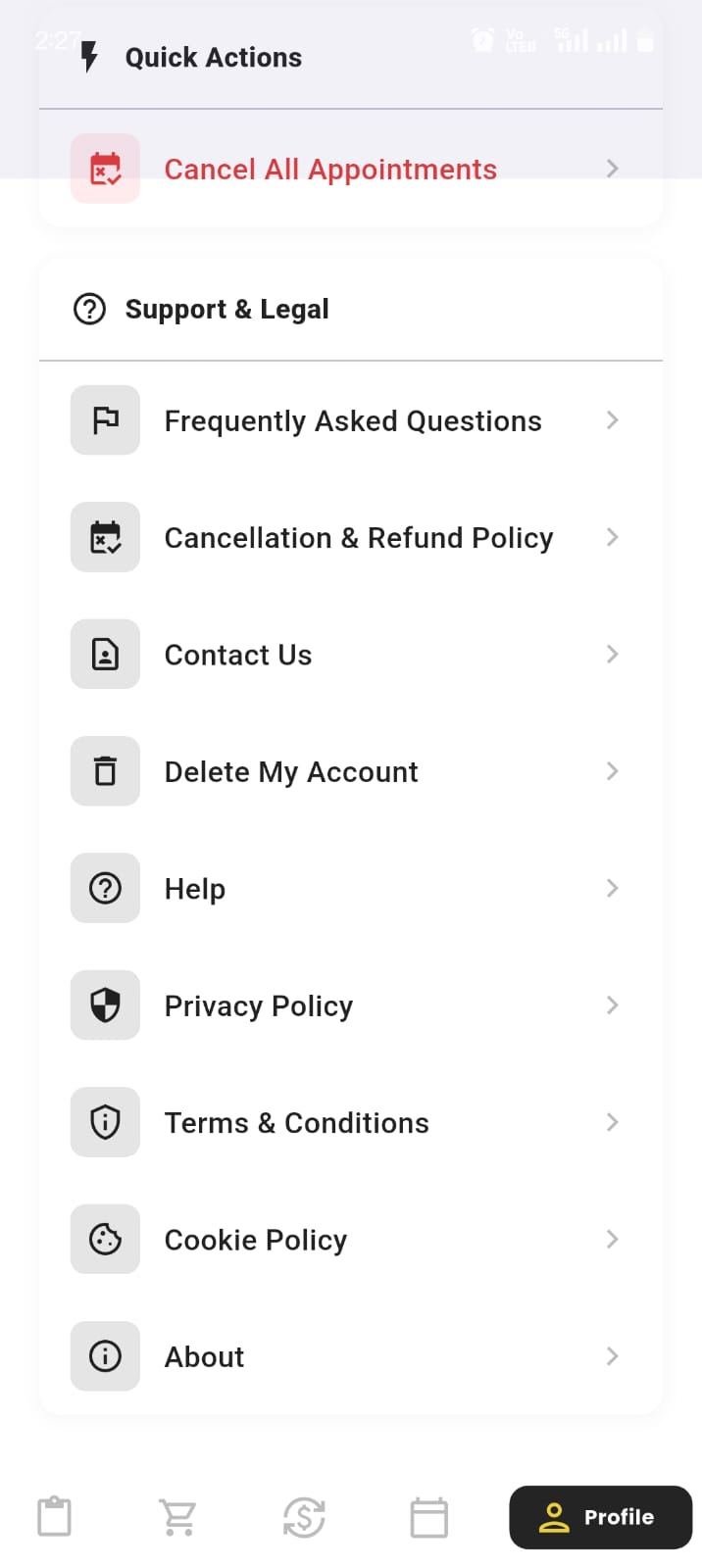
- Open the Papa Bear Partner App and go to the Account menu.
- Select Support & Legal .
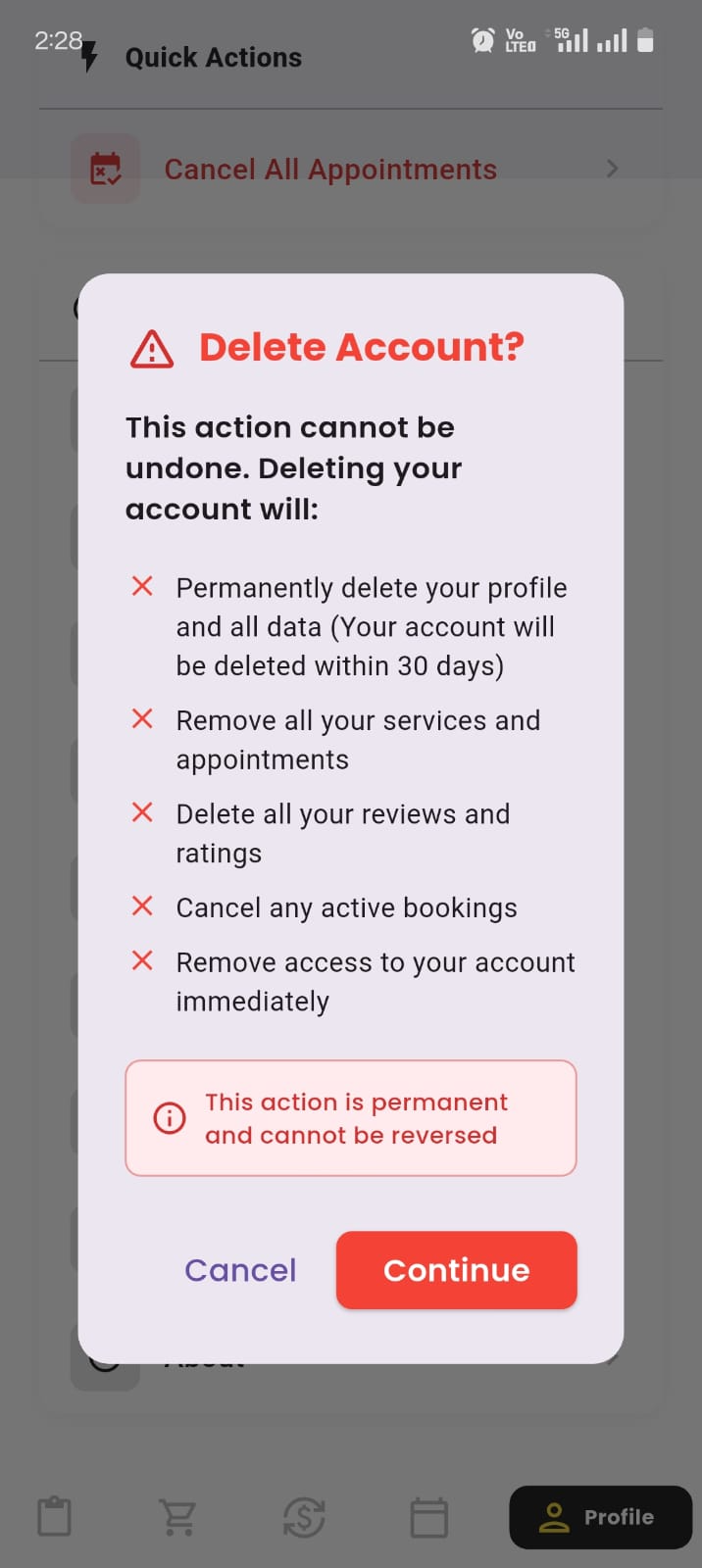
- Tap on Delete Account.
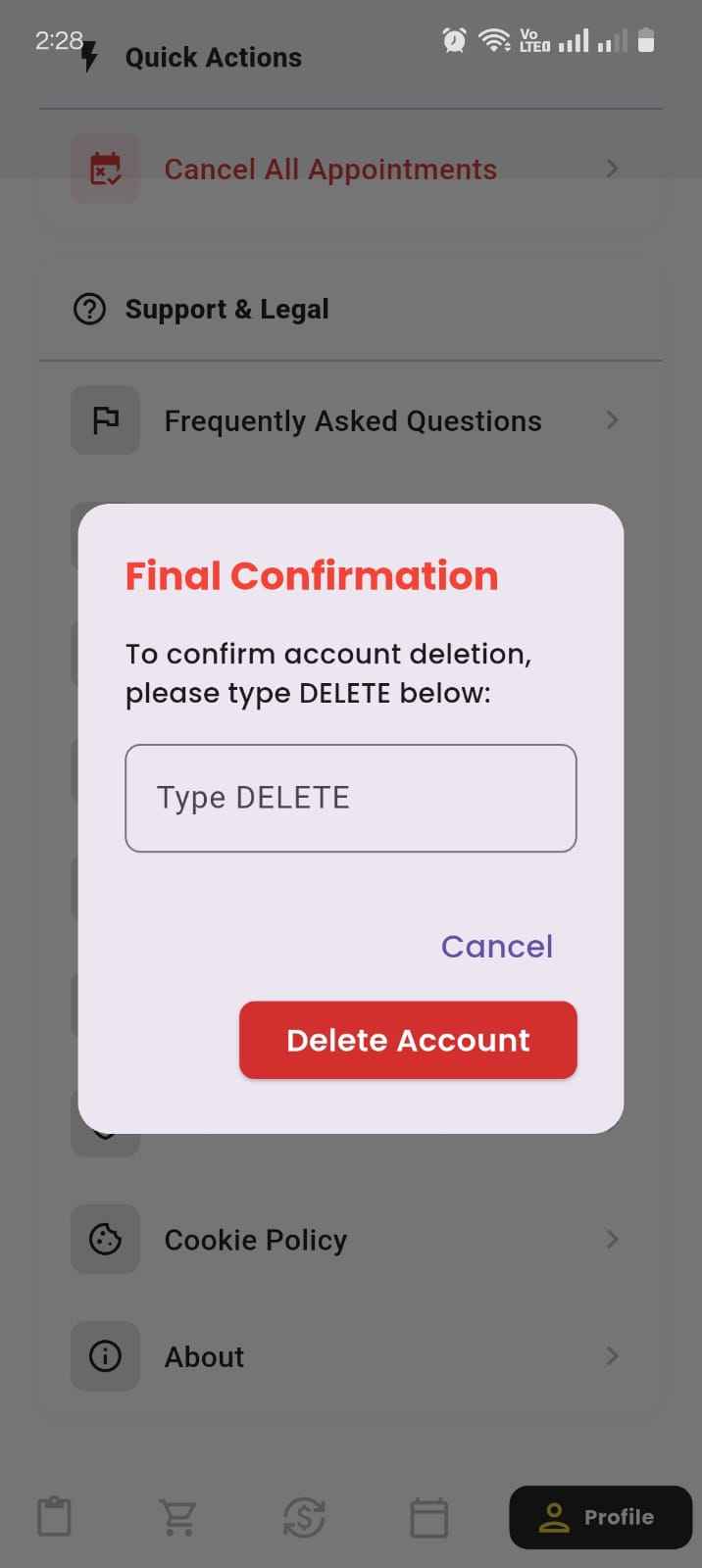
- Type DELETE to confirm your request.
- Tap Confirm & Delete to finalize the request.
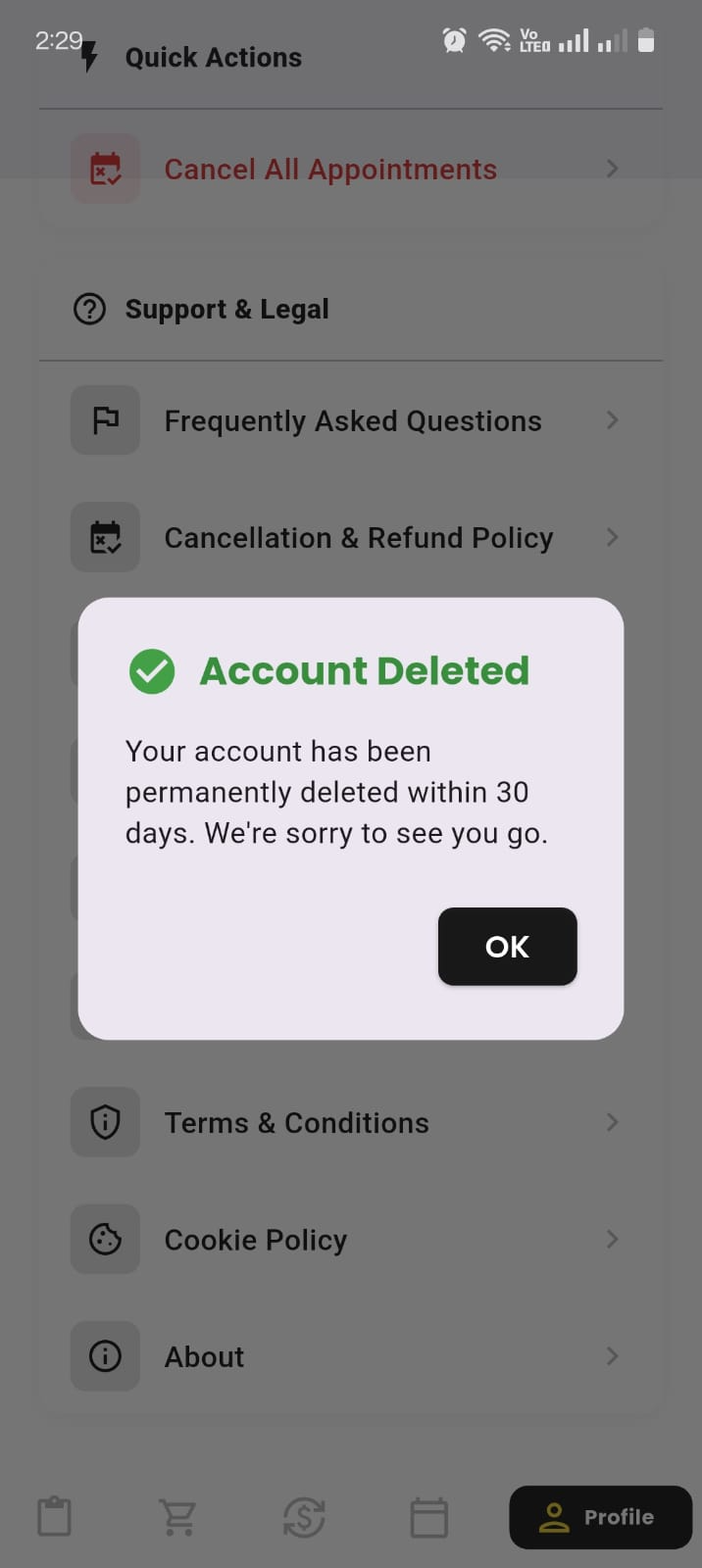
Your account will be permanently deleted within 30 days.
What Data Will Be Deleted?
- Remove all your services and appointments
- Delete all your reviews and ratings
- Cancel any active bookings
- Remove access to your account immediately use
- Permanently delete your profile and all data (Your account will be deleted within 30 days)
What Data We May Retain Temporarily
- Completed orders for compliance and accounting
- Payment settlement data
- Security logs for fraud prevention
All retained data will be deleted automatically within 30 days.
Important Notes
- This action is permanent and cannot be undone.
- All active bookings or services will be cancelled.
- You must register again to use the Partner App in the future.
Need Help?
Email: support@papabear4u.com
Partner Support: Available inside the app